
Turns out that setting up a simple load balancing solution with FMS servers is quite easy.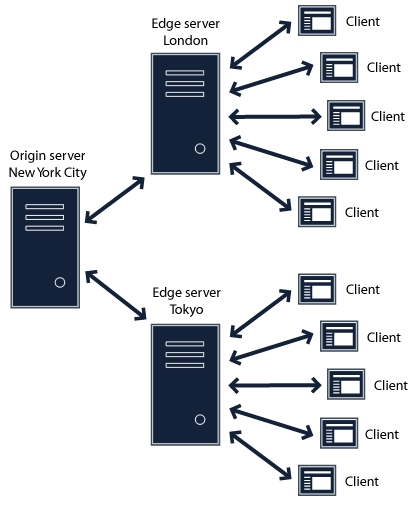
On origin server you don’t need to change anything. On the edge servers locate Vhost.xml file (if you are not using vhosts, then it’s /opt/adobe/fms/conf/_defaultRoot_/_defaultVHost_/Vhost.xml.
Locate the mode-tag that looks something like:
<Mode>local</Mode>
and change it to:
<Mode>remote</Mode>
And you need to let the edge server know what is the address of your origin by putting that info into routeentry-tag:
<RouteEntry>*:*;origin.server.address:*</RouteEntry>
Good idea is to turn on the caching on edge servers too. Look for a tag like
<CacheDir enabled=”true” useAppName=”true”>
Restart FMS on edge servers and create a round-robin DNS record that points to your edge servers and you are done.